
November 10, 2026
Custom Logo Methods on USB Flash Drives: Pad Print, UV Print, Laser and Label
Pad print, UV print, laser or label: how to match a USB flash drive logo route to ABS or zinc alloy, test durability and write it into the spec.
Este artigo está disponível em inglês.
The Costliest Misjudgement: Same Artwork, New Substrate
Most logo problems on USB flash drives look like artwork problems, but they are not. The file is fine, and the process chosen for it was fine — on the previous housing. A buyer approves a full-colour mark on painted ABS, then moves the same file to a zinc alloy body and expects the same result. The ink no longer anchors the same way, the white base behaves differently, and a mark that looked crisp on the sample reads washed out in production.
Hence the rule for every brief: the decoration route is a property of the substrate and the geometry, not of the artwork. Change the material, the finish, or the curvature under the print field, and the route must be re-qualified — even when the file is unchanged.
Four Routes and What Each One Bonds To
| Route | Works best on | Geometry | Colour capability | Wear and solvent behaviour | Typical failure mode |
|---|---|---|---|---|---|
| Pad print | ABS, painted metal, recessed fields | Convex curves, small areas | One to two spot colours | Thin film; clear coat on metal | Pad distortion on large solids; edge rub-off |
| Screen print | ABS flat panels, coated metal | Flat or near-flat | Spot colours, large solids | Thick film, good abrasion resistance | Mesh limits fine lines; poor on curvature |
| UV digital print | ABS, primed metal, coated surfaces | Flat or slight curve | Full colour, gradients, variable data | Set by primer and top coat | Edge chipping; colour shift without white base |
| Laser engraving | Anodised aluminium, stainless steel | Flat and curved, follows the part | Single tone only | No ink; solvent-immune | Removes finish, exposes bare metal |
| Label face print | ABS with a flat panel | Flat face required | Full colour, signatures, per-unit codes | Set by label stock and overlaminate | Edge lift near connector seam |
Reading the Housing Before Choosing the Route
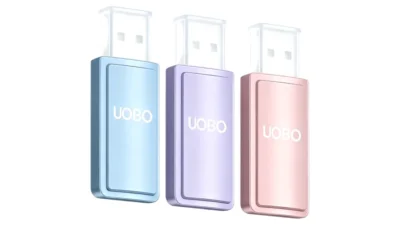
FD1006 is the label case: ABS, 51.5×20.6×10.5mm, 6.4g, 4GB~64GB, USB 2.0, with an oversized label face built for logo and signature customisation. Flat and generous, it carries full-colour artwork and per-unit names that pad print cannot repeat.
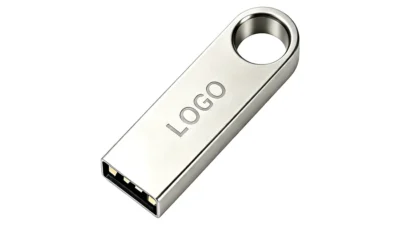
FD1021 is the opposite: zinc alloy, 39×12.2×4.6mm, 3.4g, silver finish, almost no flat area and curved in at least one axis. Pad print suits one or two colours; laser works too if alloy and finish are qualified together, since laser removes the finish instead of adding to it. Full-colour UV needs primer and top coat, and the narrow field punishes fine detail.
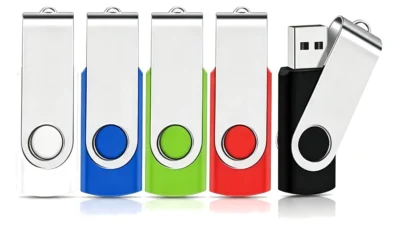
FD1003 adds a moving part: ABS with a metal cover that pivots over the body, 57×19×10.6mm, 13.4g. Print crossing the seam abrades against the mating surface, so keep decoration on the fixed panel and keep the logo off the seam by design, not by tolerance.
Six Criteria to Judge a Route
- Curvature versus flatness. Measure the print field, not the whole product. A pad conforms to a convex curve, a screen needs a near-flat plane, UV print wants flatness across the image.
- Spot colour versus continuous tone. One or two solids belong to pad or screen; gradients and photographs belong to UV digital. Laser gives one tone — a second colour means a second operation.
- Substrate and adhesion. ABS takes ink more readily than die-cast alloy, which carries oxide, parting lines and mould release that must be cleaned off. On metal, adhesion comes largely from primer and top coat.
- Where the mark sits. A logo beside the connector or on a sliding cover sees more contact than one on a recessed face. Position decides durability more than the process name does.
- Chemical exposure. Sanitiser, sun cream and alcohol wipes are the realistic attack. Screen print with a proper top coat and laser engraving hold up; a label needs an overlaminate.
- One side, two sides, or wrapped. Two-sided print needs registration between faces and a decision about which side reads when the drive is inserted. Wrapping distorts pad and screen and lifts a label at the radius.
Artwork Rules That Follow the Process
Supply vector files with text converted to outlines, revision named, and colours referenced to spot chips plus a physical sample. For UV work, approve a print on the actual substrate rather than a paper drawdown. Define the print field in the product's own frame: which face, orientation to the connector, distance from each edge, and whether the mark reads left-to-right when the drive sits in a port. Bleed belongs to the cutting operation — a label needs bleed past the die-cut so drift cannot leave a white sliver.
Minimum line width and gap must be agreed per route, because each process closes up detail differently: pad relief and squeeze fill narrow gaps, mesh thickness limits thin strokes, laser spot size sets the floor. Specify minimum feature size, minimum text height, and a larger minimum for reversed text knocked out of a solid block. Light ink on dark metal needs a white base, which needs its own registration allowance.
Durability and Solvent Resistance
Test the decoration as a system on the real housing. Cross-hatch tape adhesion per ASTM D3359 shows whether ink or coating is anchored or merely resting on the surface. A linear rub at an agreed load and cycle count shows abrasion at the edges, where wear starts. A solvent rub with alcohol, sanitiser and sun cream reveals gloss change and softening. Condition samples across the rated 0℃~70℃ operating range and re-check; adhesion that passes cold can fail warm. For a label, add an edge-lift check.
Putting the Process Into the Specification
A decoration clause a factory can follow contains the route; substrate and finish; colour reference and approved chip; print field coordinates and artwork revision; minimum feature size and text height; primer and top coat where used; test methods with acceptance criteria; the signed first-article reference; and one sentence stating that no process substitution is permitted without re-approval.
Approve the first article on parts made with the production fixture in the production colour: approve the process, not the picture. Keep a signed reference per colour and per route, and treat a new material or finish as a new approval. All three models above carry a one-year warranty.
FAQ
Can the same logo file be used on the ABS and the zinc alloy version?
The file, yes; the process, no. ABS takes ink directly. Zinc alloy needs cleaning, a primer and usually a top coat, and the same ink film reads differently against metal.
Is laser engraving always the most durable option?
No. On anodised aluminium the mark sits in the material and cannot be rubbed off. On a plated alloy, laser cuts through the finish and exposes metal that can tarnish. On ABS it discolours rather than engraves.
Can we print both sides of a rotating drive?
You can, but it costs a second setup and a registration decision, and the seam abrades any print crossing it. On a rotating body the safer spec is one decorated panel on the fixed part.
If you are weighing routes across several housings, Shenzhen LingC Industrial Co., Ltd. can review your artwork against the target material and geometry and recommend a route with matching test criteria. Contact Cherie at Cherie@lingctech.com with the housing drawing and logo file.
Este artigo também está publicado no blog do lingctech.com.Ver a publicação original
Modelos mencionados neste artigo
Pen drives
FD1006
Pen drive com etiqueta
- Interface
- USB 2.0
- Capacidade
- 4GB~64GB
- Velocidade
- —
Pen drives
FD1021
Pen drive clássico em metal
- Interface
- USB 2.0
- Capacidade
- 4GB~64GB
- Velocidade
- —
Pen drives
FD1003
Pen drive USB giratório
- Interface
- USB 2.0
- Capacidade
- 4GB~64GB
- Velocidade
- —
Está comprando os produtos deste artigo?
Envie os modelos e quantidades: preço, prazo e amostras em 1-2 dias úteis.