
October 23, 2026
M.2 NVMe vs SATA SSD: An OEM Buying Guide for Storage Programmes
Interface, protocol, form factor and thermal behaviour decide which SSD fits a programme. A comparison for buyers specifying internal drives — including what an OEM must confirm beyond the headline read speed.
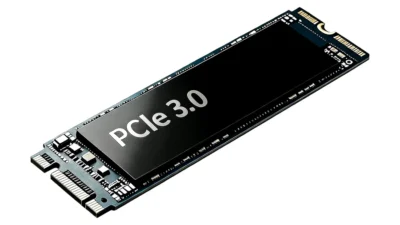
Internal SSD programmes fail in the details, not the headline. A drive can quote 3,500 MB/s and still be wrong for the application — because the host has no M.2 slot, because the chassis cannot dissipate the heat, or because the controller throttles under sustained load. This guide compares the two interfaces the way a programme decision actually gets made.
Interface and protocol first
SATA and NVMe are not competing speeds — they are different layers. SATA is an interface originally built for mechanical drives; NVMe is a protocol designed for flash, speaking over PCIe lanes. An M.2 SSD is a form factor that can carry either: an M.2 B+M key drive is usually SATA, an M-key drive is usually NVMe. Confusing the slot keying with the protocol is the most common specification error in internal drive programmes.
| Dimension | SATA SSD | M.2 NVMe SSD |
|---|---|---|
| Interface / protocol | SATA III with AHCI | PCIe 3.0 / 4.0 with NVMe |
| Signalling rate | 6 Gb/s | PCIe 3.0 ×4 (about 4 GB/s) or PCIe 4.0 ×4 (about 8 GB/s) |
| Realistic sequential read | about 550 MB/s | 2,000–7,000+ MB/s depending on generation and controller |
| Form factors | 2.5-inch, mSATA | M.2 2280 (also 2242 / 2260 / 22110) |
| Power and heat | Low; rarely needs a heatsink | Higher; sustained load can throttle without airflow or a heatsink |
| Typical role | Upgrade of an existing SATA bay; cost-sensitive volume | New designs; performance-led and embedded applications |
Speed in the workload that matters
Sequential read is the number both interfaces quote, but the workloads that decide a programme are usually queue depth and sustained writes. An NVMe drive at high queue depth pulls far ahead of SATA; at queue depth 1 — the way a single application loads a file — the gap narrows dramatically. If the target use is document handling, boot, or light multitasking, a good SATA drive is often indistinguishable in practice. If it is video capture, database, or large-model inference, NVMe is not optional.
What an OEM must confirm beyond the headline
- The controller and NAND combination behind the quoted speed, and the sustained-write behaviour after the cache fills — the drop-off is where cheap drives reveal themselves.
- Thermal design: whether the target chassis has airflow over the drive, and whether a heatsink is included, required, or incompatible.
- Firmware behaviour: power-loss protection, wear-levelling policy, and whether a custom OEM label or firmware variant is supported.
- Capacity granularity: NVMe drives often reserve space for over-provisioning; confirm the user-available capacity, not the silicon capacity.
- Compatibility: host chipset support for the PCIe generation, and whether the drive falls back gracefully in an older slot.
Choosing for the programme
Ask three questions in order: does the host have the slot and the thermal headroom, does the workload reward queue depth, and does the budget justify the controller class. Three yeses point to NVMe. A yes only on the first points to SATA. If the answer to the first is no, neither interface matters yet — the mechanical fit is the decision.
For programmes that ship both, specify them as separate SKUs with separate acceptance tests. A drive validated in one chassis tells you nothing about its behaviour in another; the thermal path, not the label, decides the result.
This article is also published on the lingctech.com blog.View the original post
Sourcing the products in this article?
Send the models and quantities you need — pricing, lead time and sampling come back within 1-2 working days.